SAP Note 3834842:
How to Check for Signs of Compromise
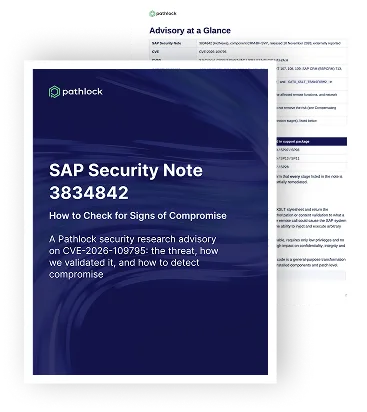
On 10 November 2026, SAP released HotNews note 3834842, addressing a vulnerability rated 9.9 on the CVSS scale.
Applying SAP’s fix does not tell security teams whether a system was compromised before patching. The affected functions do not log submitted content or the actions it triggers. A successful remote call alone does not prove exploitation, and missing logs cannot rule it out.
Pathlock’s research addresses this detection challenge. The team reproduced the authorization weakness and checked logging behavior using harmless laboratory tests. The advisory explains what evidence defenders can collect, how to connect suspicious calls to other activity, and which findings warrant an incident investigation.
What was found
The flaw, tracked as CVE-2026-109795, affects certain SAP S/4HANA CRM and SAP CRM components. Two remote-enabled functions, CATX_XSLT_TRANSFORM and CATX_XSLT_TRANSFORM2, process XML and stylesheet content supplied by the caller. Before SAP’s fix, they did not apply sufficient authorization or validation to that content. An authenticated attacker with low privileges and access to the remote interface could cause the system to process attacker-controlled content, which SAP says can lead to arbitrary code execution.
Affected versions are S4CRM 204–206, S4CEXT 107–109 and BBPCRM 713–714. SAP states that there is no workaround, so installing the complete fix is the only way to close the gap.
- CVE: CVE-2026-109795
- CVSS: 9.9 (Critical)
- SAP Note: 3834842
- Attacker needs: a valid user able to call the affected functions, plus network access
- Workaround: none
- Action: apply SAP’s complete fix as soon as possible
Why detection is hard
The affected functions do not log submitted content or the actions it triggers, making exploitation difficult to detect. A successful remote-call entry in the Security Audit Log shows only that a call was accepted—not that exploitation occurred. Legitimate CRM tools may use the same functions. The functions do not write a dedicated rejection log; other records may still show the invocation. Relevant audit events may also be disabled, and statistical records may have expired.
Missing logs do not prove that a system is clean.
Five steps to check for compromise
One caution applies throughout: a successful call alone does not confirm compromise. Confirmation requires recovered malicious content or forensic evidence of what the attacker did.
What to do now
Apply SAP’s complete fix as soon as possible. While approvals are pending, reduce exposure by removing remote-call authorization for these functions from every role that does not need it, restricting network access to the RFC gateway, and turning on the monitoring described above. These measures lower risk but do not replace the fix.
Pathlock’s full advisory covers the affected versions and fixed support packages, the evidence sources and recommended retention periods, the detection signals and how to combine them, and compensating controls. Download it here.